Catch voltage and power failures before fabricating your PCB

Runs locally · No design data leaves your machine · No account required · Apache 2.0 licensed

Architon is a local CLI that scans KiCad projects for unsafe rails, overloaded power paths, and interface-level voltage mistakes. No manual netlist export.

KiCad project data Runs locally Deterministic rules
-zsh Architon CLI
$ rv scan .
→ found KiCad project
→ extracting nets and BOM data
→ propagating voltage rails

info VBAT = 24.0V (source)
info +5V = 5.0V (U3 regulator out)

RULE_OVERVOLTAGE
component: U1 (TMS320F2837xD)
pin: VDDIO
net: VBAT = 24.0V
allowed: 0V..5.5V
margin: -18.5V

1 violation found · exit code 2

# build blocked before fabrication

Runs locally on your KiCad project. No design data leaves your machine.

CI: FAIL · 1 violation
DRC: PASS
build blocked before fab
Apache 2.0 · open source core
CI-native · exit codes 0-3
Deterministic · rule-based checks
KiCad · BOM · no manual export

Try it in 30 seconds

Runs locally. No account required.

git clone https://github.com/badimirzai/architon-cli
cd architon-cli
make install
cd path/to/kicad-project
rv scan .
View example projects

Example hardware projects used for testing and demonstration.


What the scan checks

What Architon catches

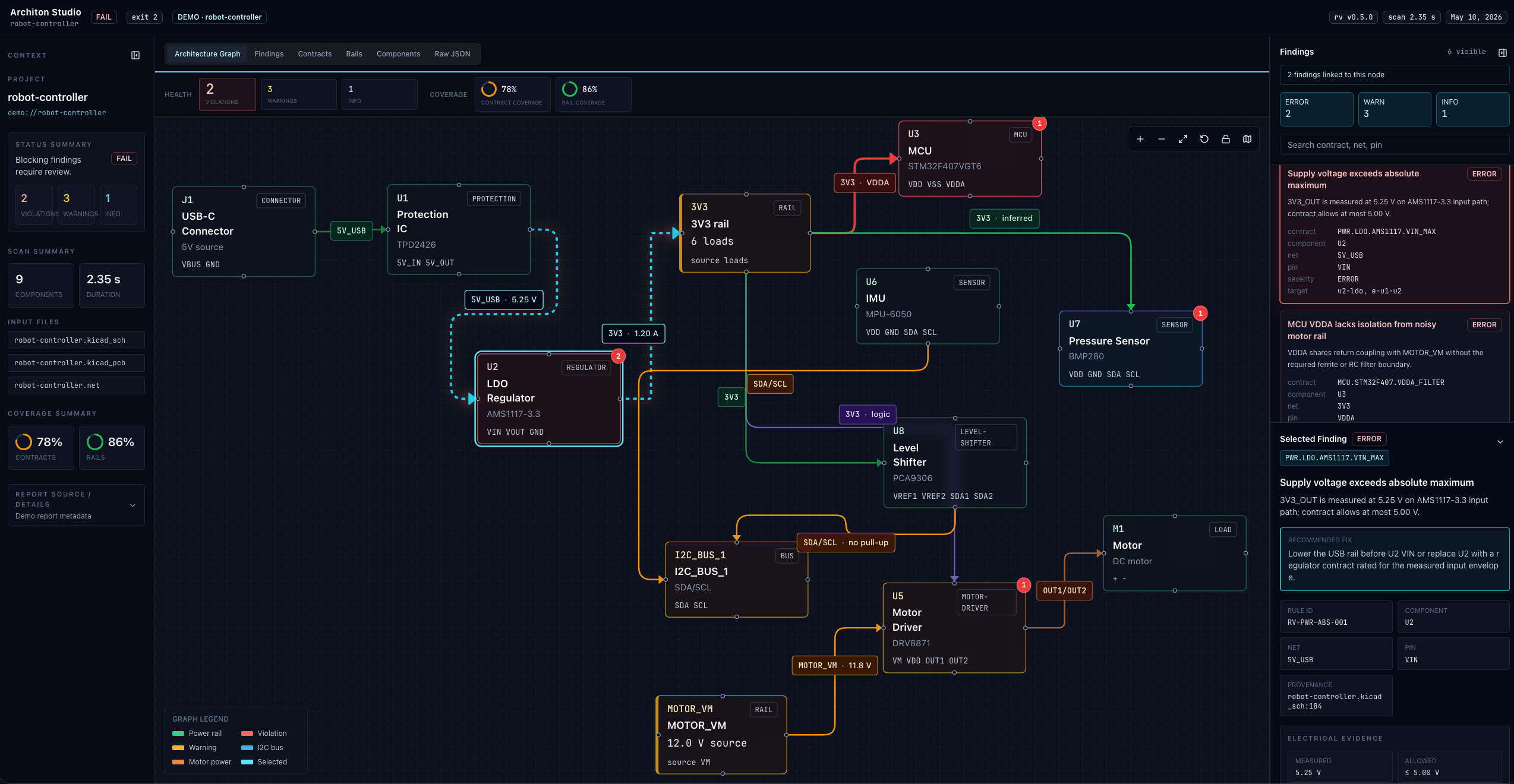
Architon catches unsafe rails, overloaded power paths, and interface mismatches that ERC and DRC can miss.

Unsafe voltage rails

Traces voltages from sources through regulators across your full netlist. Flags rails that exceed component input limits.

Interface voltage mismatches

Flags interface pins and modules connected across incompatible logic ranges or electrical limits.

Overloaded power paths

Aggregates current draw estimates per rail. Catches designs where load or stall current exceeds regulator, source, or driver limits.

CI integration

Exit codes 0-3. Drop rv scan . into GitHub Actions and block merges when a rail exceeds a part rating or a power path is overloaded.

KiCad project scan

Run rv scan . in a KiCad project folder. Architon discovers project data without a manual netlist export.

Bus conflicts

Flags shared-bus failures such as address conflicts and incompatible electrical limits between connected devices.


What problem Architon solves

DRC checks geometry.
Architon checks rails, loads, and interfaces.

PCB DRC catches layout and manufacturing rule violations. ERC catches basic schematic electrical issues. Architon checks whether connected parts and boards agree on rail voltage, current budget, and interface limits before bring-up.

Architon complements KiCad, Altium, ERC, DRC, and SPICE by checking failure modes across components, boards, and power rails.

EDA checks
PCB DRC / schematic ERC
DRC catches PCB and layout rule violations. ERC catches schematic electrical-rule issues such as pin types and unconnected nets.
✓ Copper clearances

✓ Pin-type and connectivity issues

✗ Rail exceeds component maximum rating

✗ Unsafe rail voltages

✗ Cross-board interface mismatches
architon
Voltage and power failure scan
Reads KiCad netlists and hardware project data, propagates rails, and checks whether connected components and boards agree on voltage, power, and interfaces.
✓ Rail overvoltage

✓ Power budget violations

✓ Interface mismatches

✓ Current budget issues

✓ Bus and address conflicts

Verification coverage

ERC and DRC remain necessary. Architon adds deterministic checks for rails, power budgets, and interfaces before fabrication.

Check EDA ERC/DRC Architon
Unconnected pins
Copper clearance / layout rules
Rail exceeds component maximum rating
Power budget limits
Interface and bus conflicts
CI failure before fabrication Not native

Example: an MPU-6050 IMU and DS3231 RTC sharing address 0x68 can pass normal layout checks but fail during bring-up.


How it works

From KiCad project to failed build in seconds

Runs locally on your hardware project directory. No design data leaves your machine.

Typical use cases

01

Install and point at your project

Run make install once. Then run rv scan . inside a KiCad project folder. Architon discovers project data without a manual netlist export.

make install
02

Architon generates a meta skeleton

On first run, Architon auto-discovers your project data and creates a .architon/meta.yaml skeleton for current limits, rail ratings, and interface data that cannot be inferred from your BOM.

Created .architon/meta.yaml
03

Scan runs deterministic rules

Architon propagates voltages through regulators, checks each net against component max ratings, and applies rule modules for motors, power, and logic interfaces. Same input → same output, every time.

exit 0 · exit 1 · exit 2
04

Block CI on violations

Exit code 2 stops the build. Violations include net name, component reference, measured voltage, rated maximum, and margin. The team sees the failure before anyone orders boards.

rv scan . ← GitHub Actions
$ make install

See the failure mode, then try it on your own design flow.